
Add or Re-Order Lessons and Sections
Once you have created Lessons and Sections, you can add a Lesson to an existing Section by hovering over the Section title and clicking the + icon:

You can reorder Lessons, combine Lessons into Sections, and reorder Sections in a Space.
When you hover over a Lesson or Section, you’ll see a light gray control on the left. You can drag and drop the Section or Lesson by clicking onto the three bars and pulling it to the place it where you want to put it.
When you check the box next to the option to drag and drop the Section or Lessons into a reorder, you’ll see the quick option on that Lesson or Section to make Visible or make Hidden, or adjust the Unlock Settings.
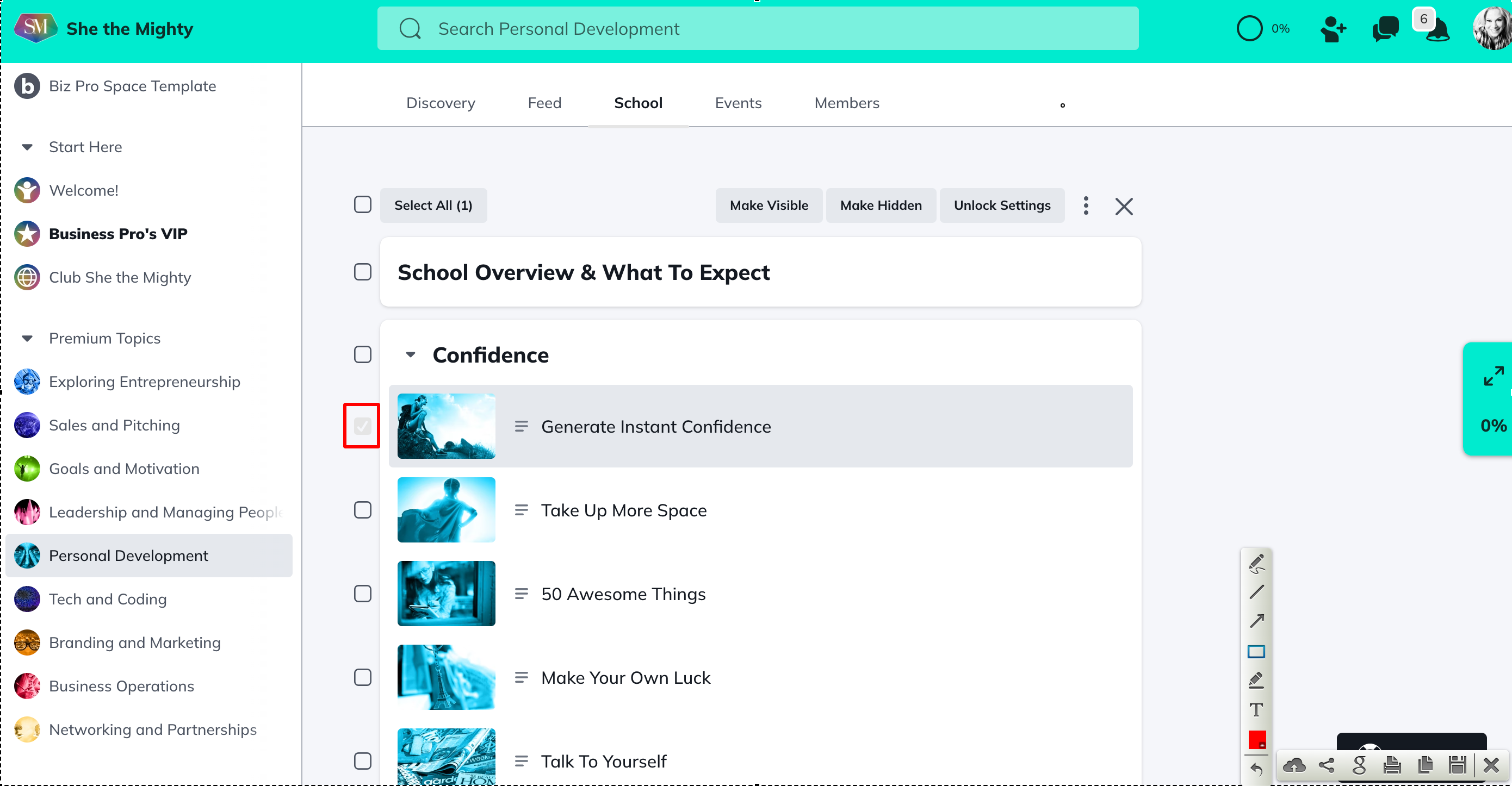
Once you’ve selected the Lessons or Sections you want to action, click on the desired action button at the top of the Table of Contents Editor. When you’re finished, click on the X to the right of the action buttons to exit edit mode.
You’ll also see light gray controls on the right.
If you click Edit, you’ll be taken to the Edit Section or Lesson editor. The 3 dot menu will give you a few more options, including the ability to duplicate that Lesson or Section:
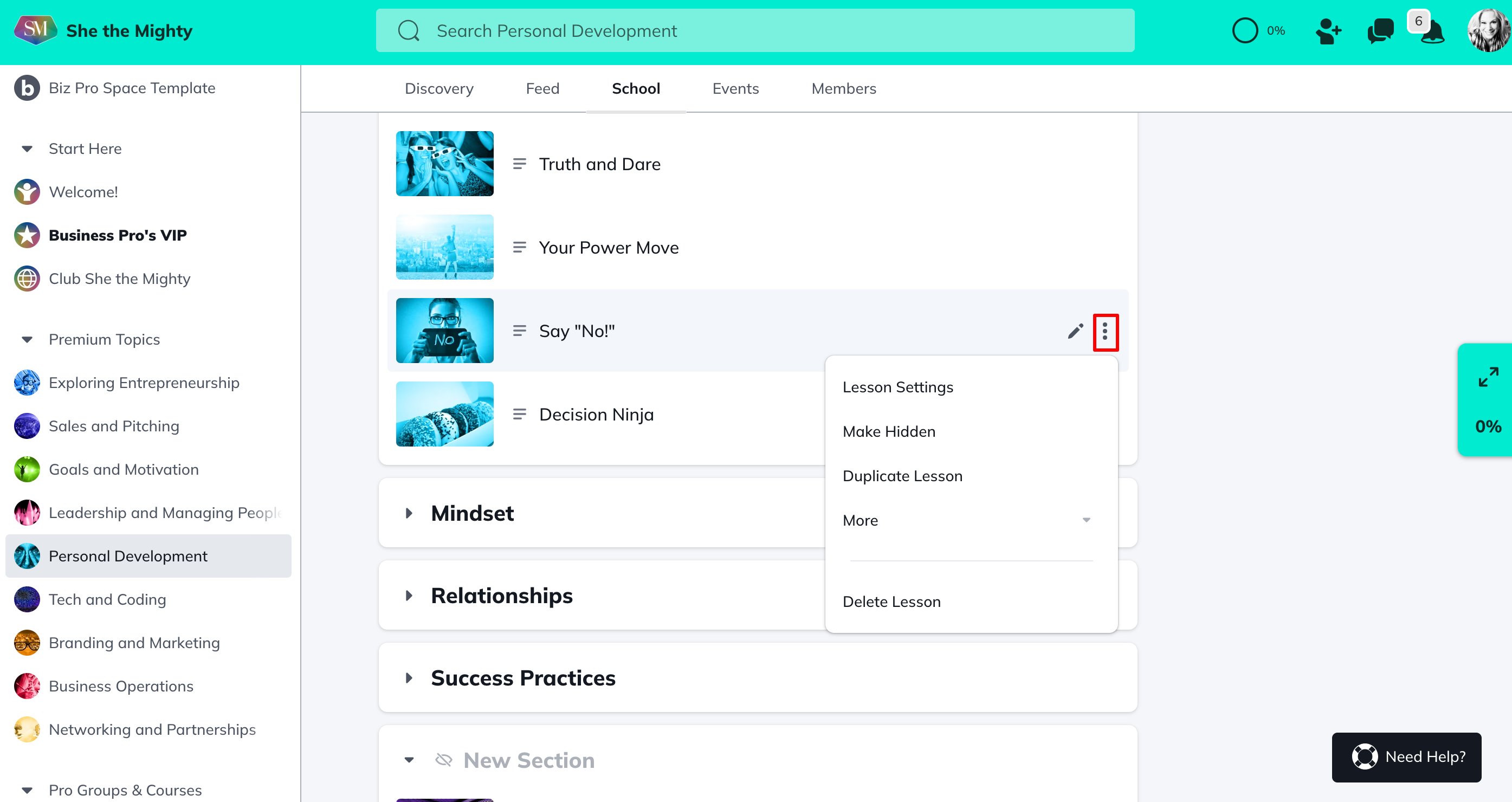
There isn’t a way to duplicate a Section or Lesson and copy or move it to another Space however you can duplicate a Space which will duplicate all it’s contents. Contact support for help if you need to do this.
To learn how to add quizzes to your Table of Contents check out this article.
Related Articles
How Do I Brand My Spaces?
You can add a custom colour, logo and image or...
How Do I Find And Edit The About Page For My Spaces?
You can find your About Page for a Space by...
What Kind Of Space Templates Are Available?
When you join as a Business Pro Member, you get...
How Do I Add A Quiz To My Course?
Creating and viewing a Quiz as a Space Host is...
How Do I Manage The Features In My Spaces?
When you first start building your Spaces, each...
Recent Articles
How Does The Feed Work?
In the upper left corner, you will see some...
What Do Member Profiles Include on She the Mighty?
When a new member joins She the Mighty, they...
How Do I Set Up My Profile?
Setting up your member profile is a great first...