
How Does The Feed Work?
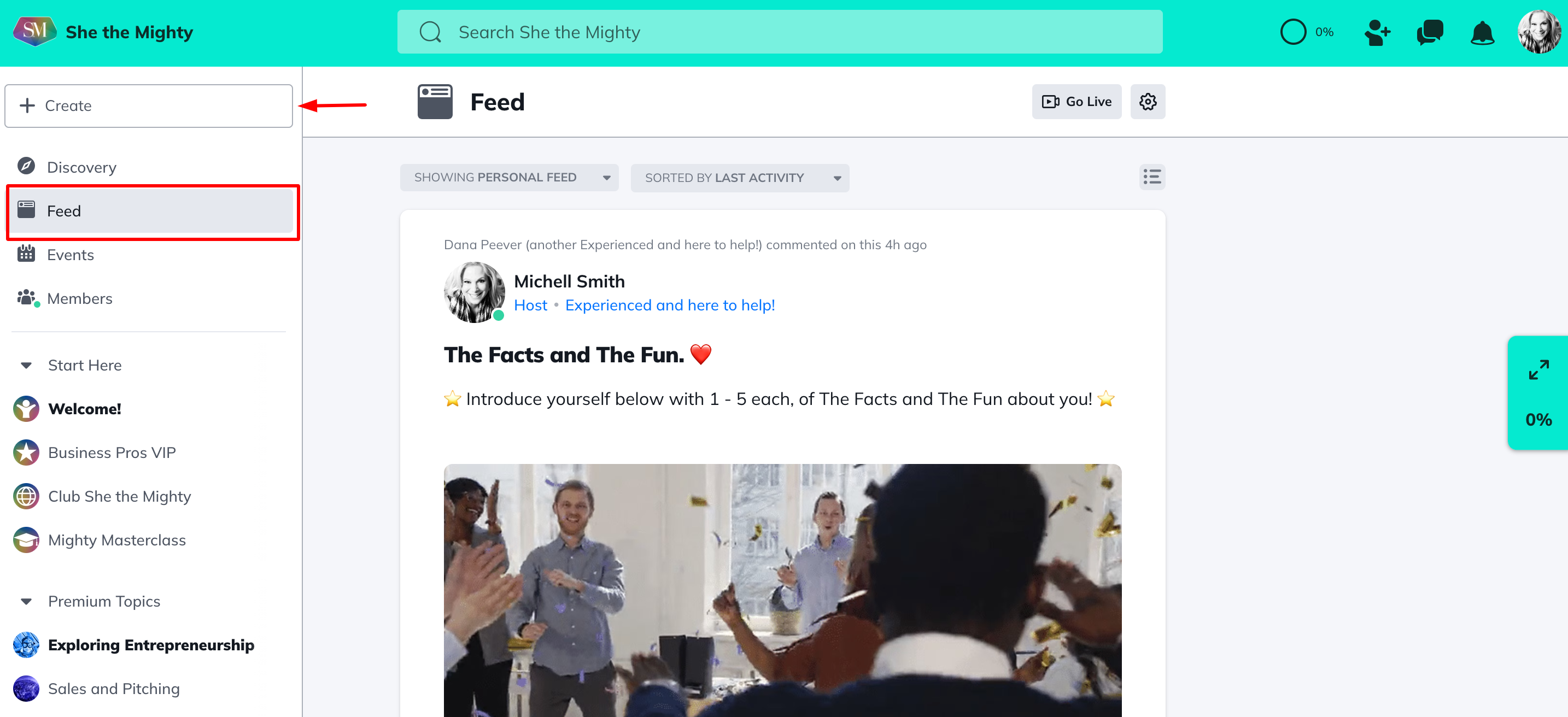
In the upper left corner, you will see some options which we call Global Features. These are Discovery, Feed, Events and Members.
These Global Features aggregate all the content (posts, articles, polls, questions, and events added by us and other members) from public Spaces all throughout She the Mighty. You will also see content from additional Spaces that you belong to (whether free or add on paid Spaces from one of our Business Pro Experts).
We have also created a Featured Section for returning members that you’ll see at the top of the Global Feed on each visit.
You can interact with content in the Global Feed by liking, cheering or commenting.
You will be able to create content from it that will post to a Space, without having to navigate to that Space first. On the web, it appears as a “Create” button at the top of the global feed area. On mobile, it appears as a “+” button. After clicking, it will ask you to choose a Space in which you have permission to post (all of the platform’s public Spaces, and most of the additional free and paid Spaces that you choose to join).
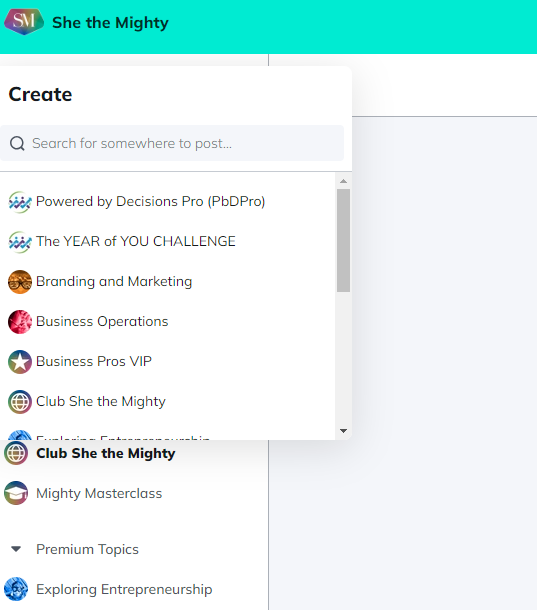
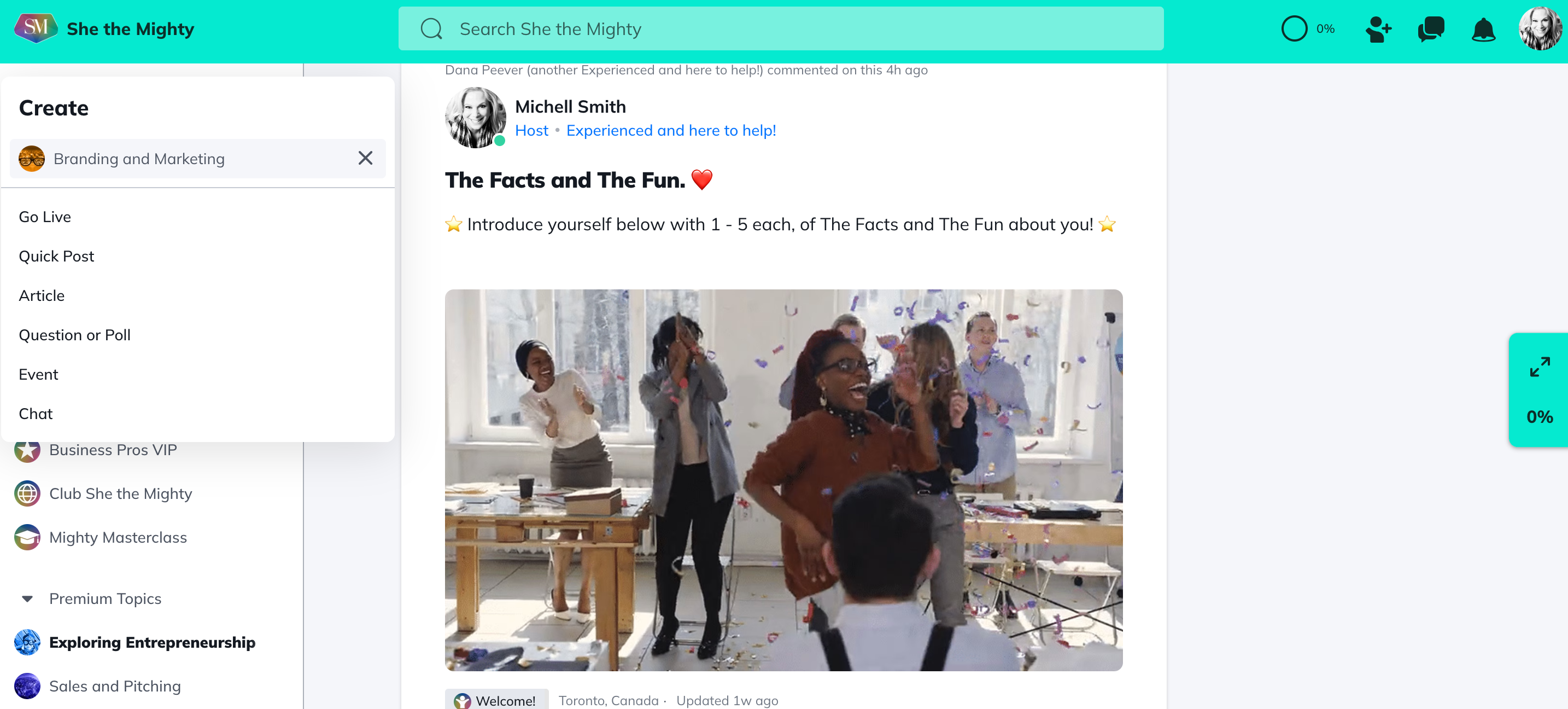
After choosing a Space, you’re then able to choose which type of content to post (based on features enabled in the Space and along with your permissions).
Space Feed
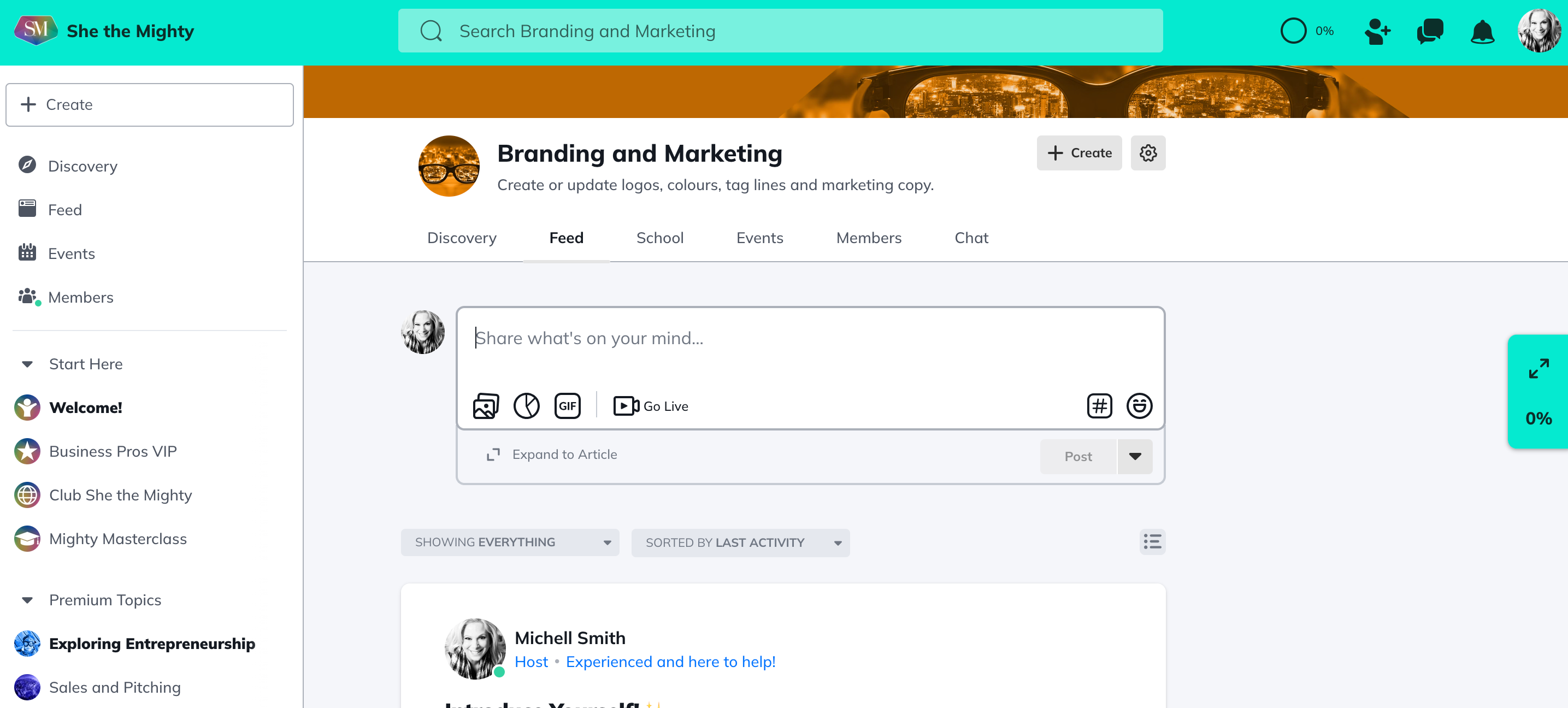
In addition to the Global Feed, we also have a Feed feature that can live in every Space! It may have been renamed by your Space Host, but you will see the option to post to it. You can create content from there that will live in that Space like Quick Posts, Articles and more!
Searching in the Feed
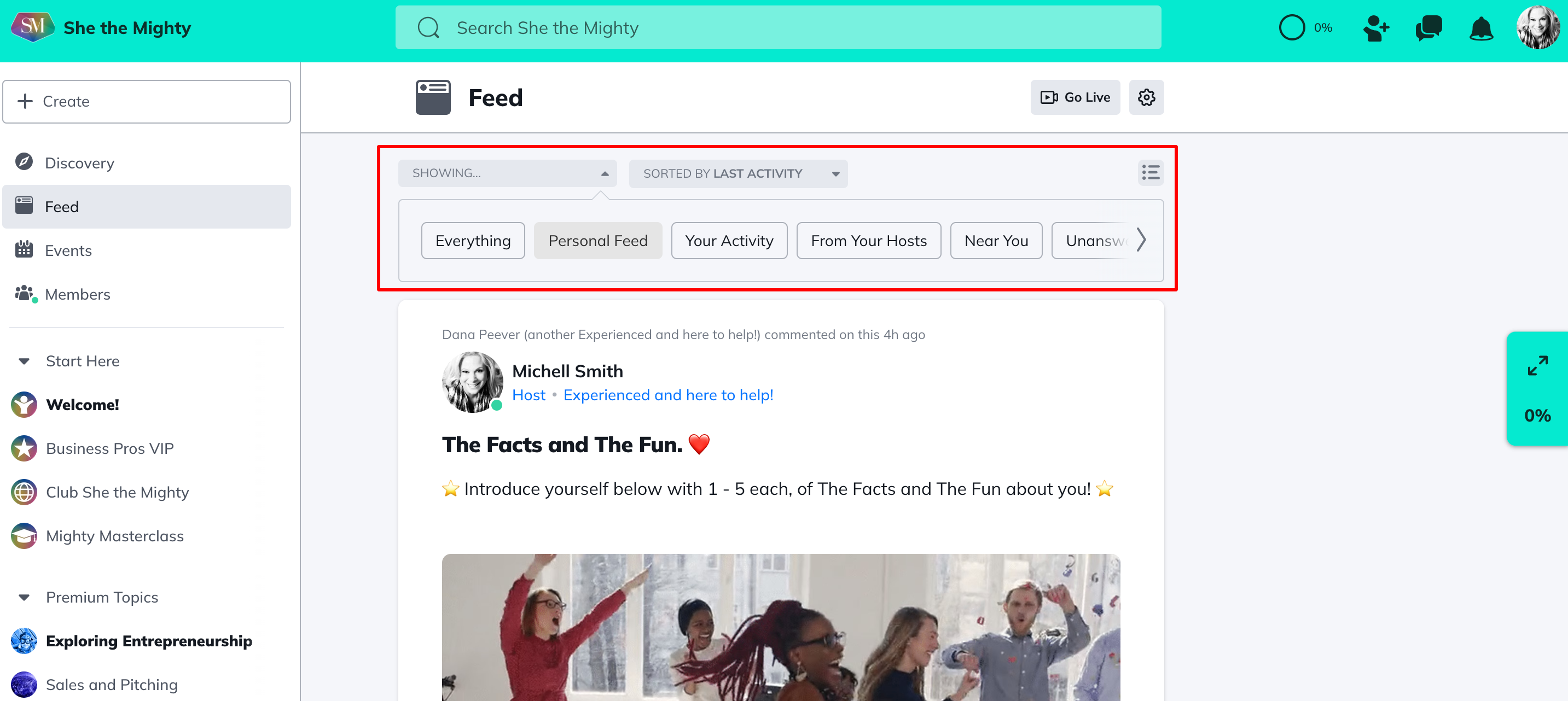
In the Feed, you can search for all content types (Articles, Events, Comments, Member Categories, Hashtags and Spaces). Your option for filtering the Feed are Everything, Personal Feed, Your Activity, From Your Hosts, Near You, Unanswered, Quick Posts, Questions and Polls, Articles and Events. You can even select multiple filters at one time!
In addition, you can sort content for Top (most relevant), Newest (most recently published) or Oldest (oldest published).
Hashtags
Hashtags organize you and other members’ content and activity. Each post or activity can be tagged with multiple hashtags. To learn more, check out “ How Do I Use Hashtags on She the Mighty?”
Related Articles
What Do Member Profiles Include on She the Mighty?
When a new member joins She the Mighty, they...
How Do I Set Up My Profile?
Setting up your member profile is a great first...
Recent Articles
What Do Member Profiles Include on She the Mighty?
When a new member joins She the Mighty, they...
How Do I Set Up My Profile?
Setting up your member profile is a great first...