
How Do I Customize the Names of Roles in My Spaces?
You can change the names of roles in each of your Spaces by going to the Space, clicking the gear icon > Details > The Small Stuff > Role Naming.
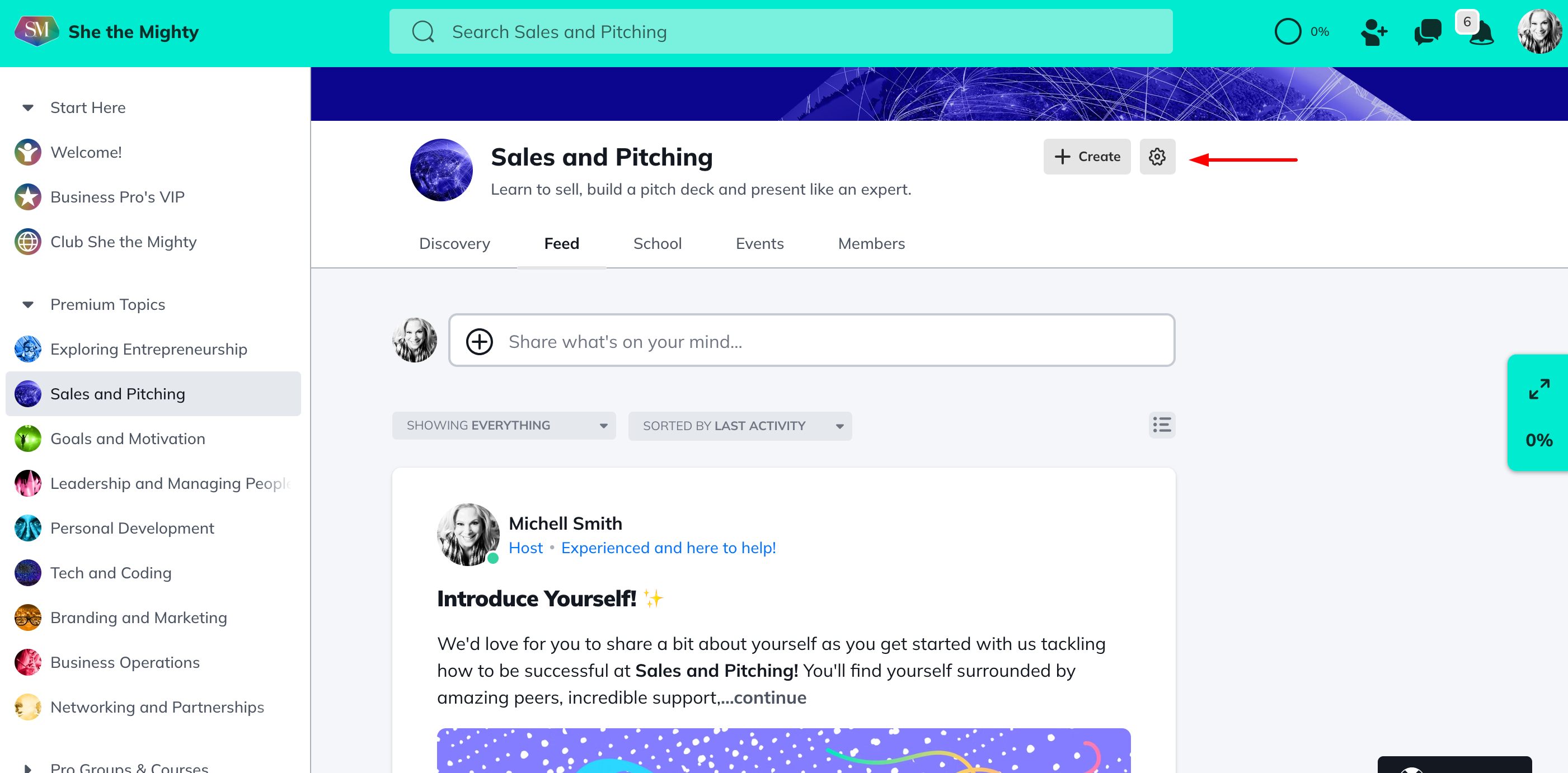
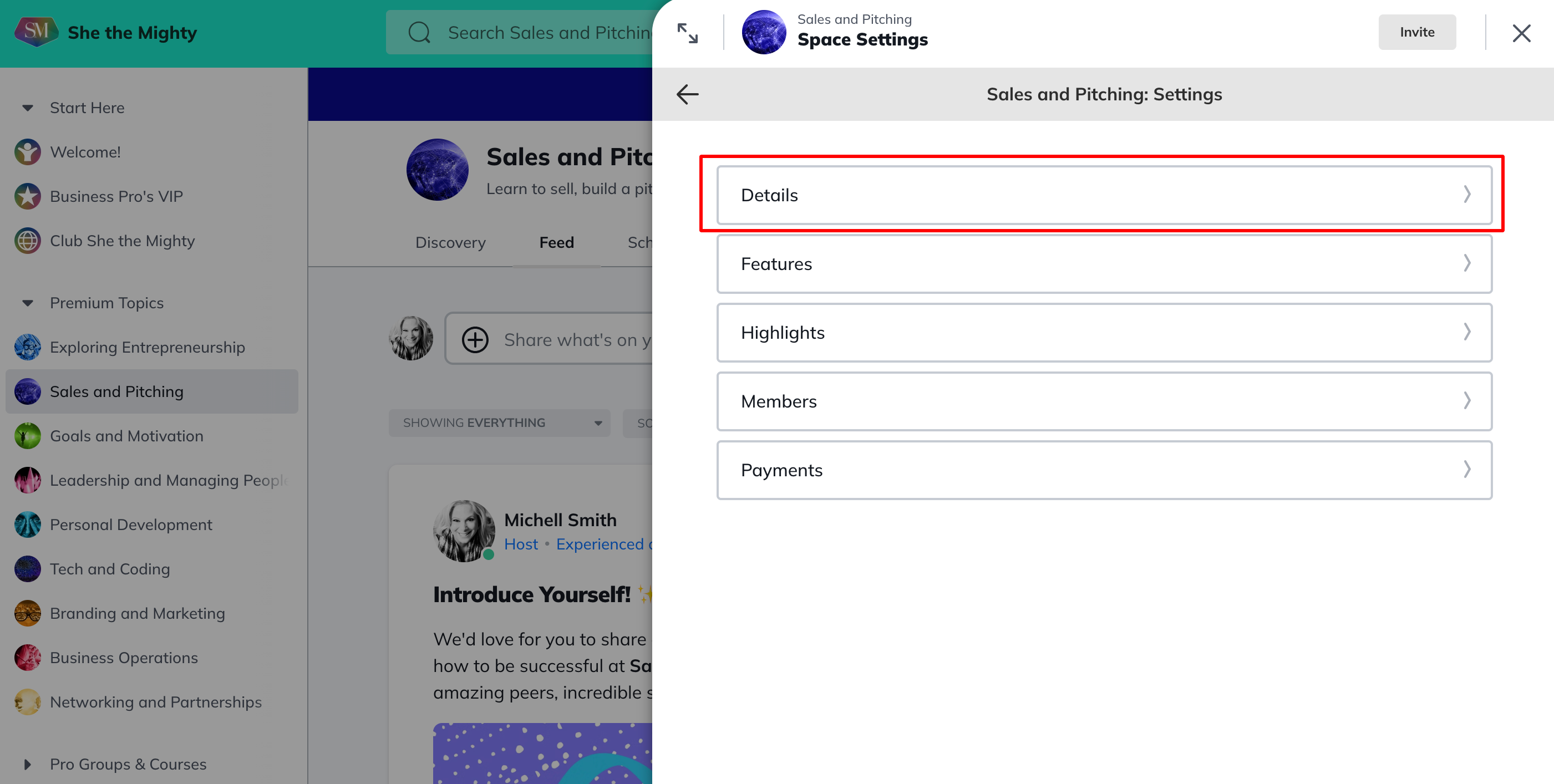
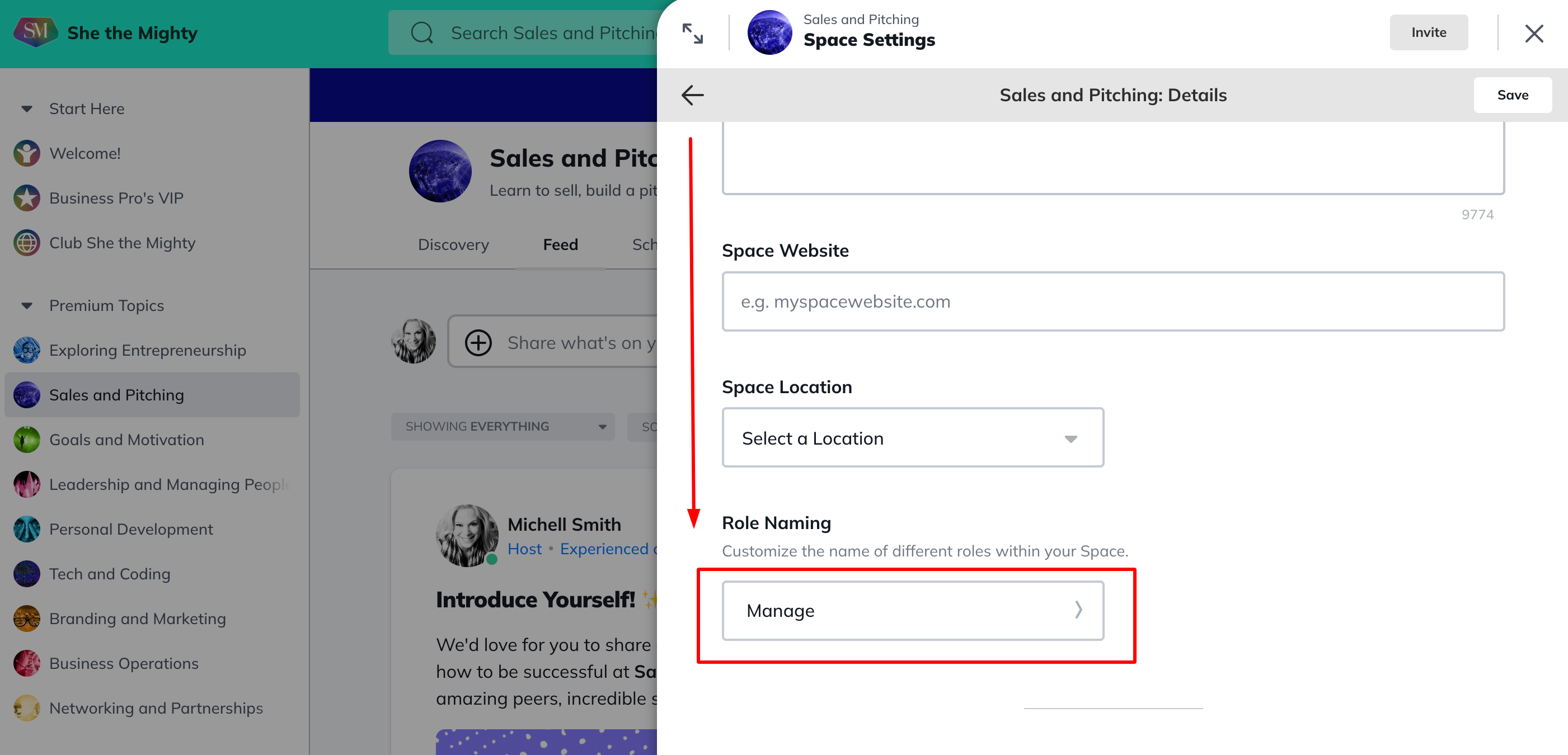
Select the type of role you would like to rename and choose from the pre-loaded options in each drop down menu. If you do not see the option you prefer, select >Add a Custom Name, from the bottom of each drop down menu and enter the name you prefer.

Keep in mind, if you have the Table of Contents feature enabled in a Space, then each role in that Space will now reflect the custom names you’ve chosen. They will appear as separate names on the About page for the Space as well.
For example, to have the teachers in your course listed as “Coaches”, name your Hosts “Coaches”. To have your moderators appear as Admins, name your moderators, “Admins”.
To learn more about Space Host and Space Moderator roles, check out this article.
Related Articles
How Do I Brand My Spaces?
You can add a custom colour, logo and image or...
How Do I Find And Edit The About Page For My Spaces?
You can find your About Page for a Space by...
What Kind Of Space Templates Are Available?
When you join as a Business Pro Member, you get...
How Do I Add A Quiz To My Course?
Creating and viewing a Quiz as a Space Host is...
How Do I Manage The Features In My Spaces?
When you first start building your Spaces, each...
Recent Articles
How Does The Feed Work?
In the upper left corner, you will see some...
What Do Member Profiles Include on She the Mighty?
When a new member joins She the Mighty, they...
How Do I Set Up My Profile?
Setting up your member profile is a great first...